How to Choose the Best Internet for a Retail Store
Learn how to choose the best internet for retail stores. Compare fiber, cable, wireless options, speeds, WiFi security, and backup connections for reliable operations.
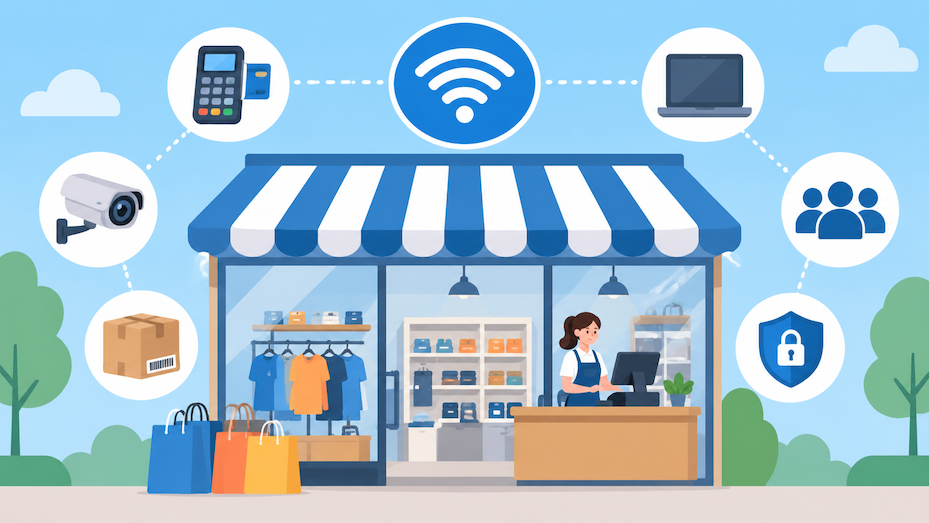
Choosing the right internet connection for a retail store is essential for keeping daily operations running smoothly. From processing credit card payments and managing inventory to operating security cameras and providing customer WiFi, modern retail businesses depend on reliable internet access throughout the day.
The best internet connection for a retail store depends on its size, number of connected devices, daily network activity, and available providers. Fiber internet is often the strongest option when available, but cable, fixed wireless, and satellite can also meet the needs of certain retail businesses.
Before choosing a business internet plan, store owners should consider more than advertised download speeds. Reliability, upload performance, network security, equipment, customer support, and backup connectivity can make a significant difference in daily operations.
Why Do Retail Stores Need Reliable Internet?
Retail stores need reliable internet to process payments, manage inventory, communicate with suppliers, monitor security systems, and support connected business applications. An unstable connection can interrupt transactions, delay operations, and negatively affect the customer experience.
Many retail businesses now use cloud-based platforms to manage essential tasks. These systems need consistent connectivity to exchange information and keep business operations synchronized.
Here are some common retail activities that depend on internet access:
- Point-of-sale (POS) systems: Process credit and debit card payments and synchronize transaction records.
- Inventory management: Track product availability, stock levels, and incoming shipments.
- Payment processing: Connect payment terminals to payment processors and financial networks.
- Security cameras: Upload surveillance footage to cloud storage or remote monitoring platforms.
- Employee communication: Support email, messaging, scheduling, and other workplace applications.
- Customer WiFi: Provide internet access for shoppers while keeping business systems separate.
- E-commerce integration: Synchronize online orders, product listings, and in-store inventory.
When these systems share an unreliable connection, even a short interruption can create operational problems.
For example, a clothing store processing several transactions during a busy afternoon may experience payment delays if its internet connection becomes unstable. Employees may also struggle to verify inventory or access customer orders.
Reliable connectivity helps reduce these disruptions and keeps essential retail systems working together.
What Types of Internet Connections Are Best for Retail Stores?
Fiber, cable, fixed wireless, and satellite are the main internet connection options retail businesses should consider. Each technology offers different advantages depending on availability, performance requirements, and location.
Understanding these differences helps store owners choose a connection that supports their operations without paying for unnecessary features.
Is Fiber Internet the Best Option for Retail Businesses?
Fiber internet is often the best overall option for retail stores because it offers high bandwidth, low latency, and strong upload performance. It is particularly useful for businesses that depend on cloud-based POS systems, connected security cameras, and multiple online applications.
Fiber connections transmit data using light through fiber-optic cables. This technology supports high-speed data transfer and can provide symmetrical upload and download speeds, depending on the provider and plan.
Benefits of fiber internet include:
- Fast download and upload speeds.
- Low latency for responsive applications.
- Reliable performance for multiple connected devices.
- Strong support for cloud-based business software.
- Better capacity for handling simultaneous network activity.
- Suitable connectivity for growing retail operations.
Fiber is particularly useful for supermarkets, electronics stores, clothing retailers, and businesses with multiple payment terminals.
However, fiber availability varies by location. Installation may also require additional work if the building does not already have fiber infrastructure.
Is Cable Internet Good Enough for a Retail Store?
Cable internet is a practical alternative for retail stores that need dependable broadband but cannot access fiber. It generally provides sufficient bandwidth for payment processing, inventory systems, employee devices, and customer WiFi.
Cable internet uses coaxial cable infrastructure, which is widely available in many commercial areas.
Its advantages include:
- Broad availability in many urban and suburban locations.
- Competitive download speeds.
- Multiple business internet plan options.
- Support for everyday retail applications.
- Potentially lower installation costs where infrastructure already exists.
One consideration is that cable networks may experience slower performance during periods of heavy neighborhood usage. Upload speeds may also be lower than download speeds.
For a small boutique or neighborhood retail shop, cable internet can provide a suitable balance between performance and affordability.
Can Fixed Wireless Internet Work for Retail Stores?
Fixed wireless internet can be a useful option for retail businesses located in areas with limited wired broadband infrastructure. It delivers connectivity through radio signals between a provider’s network and equipment installed at the business location.
Depending on signal quality, network congestion, and provider coverage, fixed wireless can support POS terminals, inventory applications, and everyday business connectivity.
Its advantages include:
- Faster deployment in some locations.
- No requirement for a traditional wired connection to the building.
- Useful coverage in underserved areas.
- Flexible connectivity options for certain commercial locations.
However, signal strength, physical obstructions, weather conditions, and network congestion can affect performance.
Before selecting fixed wireless, confirm that the provider can deliver consistent service at your exact business address.
Is Satellite Internet Suitable for Retail Businesses?
Satellite internet is an alternative for retail stores in rural or remote areas where fiber, cable, and fixed wireless services are unavailable or unsuitable.
It connects businesses through satellites rather than traditional terrestrial broadband infrastructure.
Satellite internet can support basic cloud applications, payment processing, and business communication, depending on the service and network conditions.
Consider these factors before choosing satellite:
- Potentially higher latency than terrestrial broadband.
- Weather-related performance interruptions.
- Equipment and installation requirements.
- Data allowances or network management policies.
- Differences in upload and download performance.
For stores with access to fiber or cable, terrestrial connections are generally preferable. Satellite is more valuable when geographic limitations leave few other options.
How Do Different Internet Connection Types Compare?
The following comparison summarizes the main advantages and limitations of each technology.
- Fiber
- Advantages: Fast speeds, low latency, and strong upload performance.
- Limitations: Limited availability in some areas.
- Best for: Busy stores and growing retailers.
- Cable
- Advantages: Good speeds and broad availability.
- Limitations: Upload speeds may be lower, and shared network capacity can affect performance.
- Best for: Small and medium-sized stores.
- Fixed Wireless
- Advantages: Flexible installation and rural coverage.
- Limitations: Signal quality and network congestion can affect performance.
- Best for: Stores with limited wired options.
- Satellite
- Advantages: Provides connectivity in remote locations.
- Limitations: Latency, weather conditions, and data limitations.
- Best for: Rural and underserved retail locations.
The right choice depends on which services are available at your business address and how much connectivity your operations require.
How Much Internet Speed Does a Retail Store Need?
Most retail stores should choose an internet plan based on simultaneous device usage, payment terminals, cloud applications, security cameras, and customer WiFi activity. A small store may operate comfortably with a lower-speed plan, while larger retailers need more bandwidth to support multiple systems.
There is no universal speed requirement for every retail business.
A store using only a few POS terminals and basic inventory software has different requirements from a supermarket with dozens of connected devices, cloud surveillance, and public WiFi.
Here is a general planning guide:
- Small boutique or local shop: 100–200 Mbps
- Small retail store with multiple POS terminals: 200–300 Mbps
- Medium-sized retail store: 300–500 Mbps
- Large retail store or supermarket: 500 Mbps–1 Gbps
- Multi-department or high-traffic retail operation: 1 Gbps or higher
These figures are planning estimates, not guaranteed requirements. Actual needs depend on application specifications, the number of active devices, upload activity, and customer usage.
For a more accurate estimate, review the business’s existing connectivity requirements using the Internet Speed Needs tool.
Why Does Upload Speed Matter for Retail Stores?
Upload speed determines how quickly a business can send information from its network to the internet. It matters for retail stores that upload surveillance footage, synchronize cloud inventory, back up business records, and use cloud-based applications.
Many business owners focus primarily on download speed, but upload performance can be equally important.
Consider these examples:
- Security cameras continuously uploading footage to cloud storage.
- POS systems synchronizing transactions with cloud databases.
- Employees uploading product images and documents.
- Inventory software updating stock information.
- Cloud-based backups transferring business records.
A connection with high download speeds but limited upload capacity may struggle when several devices send data simultaneously.
Retailers using multiple cloud applications should consider fiber plans with symmetrical or near-symmetrical speeds when available.
What Internet Features Should Retail Store Owners Look For?
Retail businesses should evaluate reliability, latency, upload performance, security features, and technical support when comparing internet plans. These factors can be more important than choosing the plan with the highest advertised download speed.
Before signing up with a provider, consider the following features.
1. Reliable Network Performance
A reliable connection helps keep payment terminals, inventory systems, and cloud applications accessible throughout business hours.
Ask providers about their network availability, outage history, maintenance procedures, and available service-level agreements.
For businesses that process frequent transactions, predictable connectivity should be a priority.
2. Low Network Latency
Latency measures how long information takes to travel between devices and servers. Lower latency generally means faster responses from online applications.
Retail businesses benefit from low latency when processing online payments, accessing cloud databases, and using remote business software.
A connection with sufficient bandwidth but consistently high latency may still feel slow when employees interact with cloud-based applications.
3. Business-Class Technical Support
Technical support is important when connectivity problems affect sales or daily operations.
Look for providers that offer:
- Business-focused technical support.
- Clear outage reporting procedures.
- Reasonable troubleshooting and repair response times.
- Equipment replacement options.
- Service-level agreements when available.
Some business internet plans include dedicated support services that are not available with residential packages.
4. Static IP Address Availability
A static IP address provides a fixed public IP address instead of one that changes periodically.
Some retail businesses may need a static IP for remote network access, certain security configurations, VPN connections, or hosted business services.
However, not every retail store needs one. Ask your IT provider whether your applications or security equipment require a static IP before paying extra for the feature.
5. No Unnecessary Data Restrictions
Data allowances and network management policies can affect businesses that upload surveillance footage, synchronize cloud files, or provide customer WiFi.
Look for plans with suitable data allowances and clear usage policies.
An unlimited data plan may be beneficial for stores with frequent uploads and multiple connected devices, but review the provider’s actual terms rather than relying only on promotional language.
How Should Retail Stores Set Up Their WiFi Networks?
Retail stores should separate business-critical devices from customer WiFi to improve network security and reduce unnecessary traffic on operational systems. A properly configured network helps protect payment terminals, employee devices, inventory applications, and connected equipment.
Using one shared WiFi network for everything can create unnecessary security and performance risks.
A better approach is to establish separate network access for different users and devices.
What Are the Different WiFi Networks a Retail Store Needs?
Most retail stores can benefit from organizing their network into three categories.
1. Business Operations Network
This network supports essential retail equipment, including:
- POS terminals.
- Inventory management systems.
- Employee computers.
- Business printers.
- Authorized operational devices.
Access should be limited to approved employees and business equipment.
2. Security and IoT Network
This network can support connected equipment such as:
- Security cameras.
- Smart sensors.
- Network-connected displays.
- Other monitoring devices.
Separating these devices can help limit unnecessary access to business-critical systems.
3. Customer Guest WiFi
Guest WiFi allows shoppers to access the internet without connecting directly to the store’s internal business network.
Configure guest access with appropriate security settings, bandwidth controls, and client isolation where supported.
How Can Retail Stores Improve WiFi Coverage?
Retail stores should position wireless access points strategically to provide reliable coverage across sales floors, checkout counters, stockrooms, and other areas where employees need connectivity.
A single router may not provide sufficient coverage in larger stores or buildings with thick walls and multiple floors.
Consider these improvements:
- Position access points in central locations.
- Avoid placing routers near sources of interference.
- Use business-grade WiFi equipment.
- Install additional access points where necessary.
- Monitor connected devices and network performance.
- Update router firmware regularly.
- Use secure authentication and strong administrator passwords.
A professional network assessment can help identify coverage gaps and determine the appropriate equipment for the building.
Why Should Retail Stores Have a Backup Internet Connection?
Retail stores should consider backup internet because an outage can interrupt payment processing, inventory synchronization, and cloud-based operations. A secondary connection provides another way to access essential online services when the primary provider experiences an interruption.
This is particularly important for businesses that cannot easily operate without internet access.
For example, a supermarket may have multiple checkout counters relying on online payment processing. If its primary fiber connection goes down, a backup connection can help maintain essential services.
Common backup options include:
- 5G or LTE internet: Uses cellular networks as an alternative connection.
- Secondary cable or fiber provider: Provides another wired connection, ideally using a different network infrastructure.
- Fixed wireless: Can serve as an alternative when the primary connection is unavailable.
- Satellite internet: May provide an alternative for remote locations.
What Is Automatic Internet Failover?
Automatic internet failover is a network feature that switches traffic to a secondary internet connection when the primary connection becomes unavailable or fails predefined health checks.
It typically requires a router or network gateway that supports multiple WAN connections.
A basic failover setup works like this:
- The primary internet connection handles normal business traffic.
- The router continuously monitors the primary connection.
- If the primary connection fails, the router switches to the backup connection.
- Once the primary connection becomes stable again, the router can switch traffic back according to its configuration.
Keep in mind that failover does not guarantee uninterrupted sessions. Some payment terminals, VPNs, and cloud applications may need to reconnect when the public IP address changes.
Retailers should also confirm that their POS provider supports the intended backup configuration.
How Can You Compare Business Internet Providers for a Retail Store?
The best business internet provider is the one that offers suitable coverage, dependable performance, transparent pricing, and support for your retail operations. Comparing several providers helps you identify a plan that meets your requirements without unnecessary expenses.
Start by checking which providers serve your store’s exact address.
Internet availability can vary significantly between neighborhoods, commercial buildings, and even different locations on the same street.
Next, evaluate these factors:
- Connection type: Check whether fiber, cable, fixed wireless, or satellite is available.
- Download speed: Make sure the plan can support your expected network activity.
- Upload speed: Consider security cameras, cloud backups, and inventory synchronization.
- Reliability: Review uptime commitments and outage support.
- Data policies: Understand any usage limits or network management restrictions.
- Installation costs: Check whether professional installation or additional wiring is required.
- Equipment fees: Compare router rental, purchase, and replacement costs.
- Contract terms: Review promotional pricing, renewal conditions, and cancellation fees.
- Customer support: Check the availability of technical assistance.
You can also explore the existing business internet provider reviews to learn more about available providers and their business services.
For example, retailers comparing cable and fiber options can review the Spectrum Business Internet plans and Windstream Business Internet to understand different provider offerings.
Before committing, calculate the full cost of service rather than focusing only on the introductory monthly price. Review this guide to business internet contracts and hidden costs for details about installation fees, equipment charges, promotional pricing, and cancellation conditions.
What Is the Best Internet Setup for Different Types of Retail Stores?
The best internet setup depends on the store’s size, operational requirements, customer traffic, and number of connected devices. A small boutique does not need the same network infrastructure as a supermarket or a large retail chain.
Here are some practical examples.
Small Boutiques and Specialty Shops
Small boutiques generally need reliable internet for POS terminals, inventory software, employee devices, and basic customer WiFi.
A fiber or cable connection with sufficient bandwidth is usually a practical choice.
Recommended setup:
- One reliable business internet connection.
- Business-grade router.
- Secure POS network.
- Separate guest WiFi.
- Cellular backup if payment processing is business-critical.
Grocery Stores and Supermarkets
Supermarkets often operate several checkout terminals, inventory systems, connected security cameras, and employee devices simultaneously.
They benefit from higher-capacity connections and network equipment that can manage multiple devices without creating performance problems.
Recommended setup:
- Fiber internet where available.
- Multiple wireless access points.
- Segmented business and guest networks.
- Dedicated security equipment network.
- Secondary internet connection with automatic failover.
Electronics and Appliance Stores
Electronics retailers may use online product catalogs, inventory databases, cloud-based customer management platforms, and security systems.
Their network should support multiple employees and devices while maintaining secure access to business applications.
Recommended setup:
- Fiber or high-performance cable connection.
- Business-grade router and access points.
- Separate employee and customer WiFi.
- Secure remote access where required.
- Adequate upload capacity for cloud applications.
Multi-Location Retail Businesses
Retail chains need connectivity that supports communication and data synchronization across several locations.
Each branch should have a suitable local internet connection, while the company maintains consistent security and network management policies.
Recommended setup:
- Business-grade internet at every location.
- Centralized network management.
- Secure VPN or managed SD-WAN where appropriate.
- Consistent WiFi security policies.
- Backup connectivity at critical locations.
What Should You Check Before Choosing Retail Store Internet?
Before signing up for a business internet plan, evaluate your store’s actual connectivity requirements, provider availability, equipment needs, and long-term costs. A simple checklist can help prevent problems after installation.
Use this checklist when comparing internet options:
Connectivity Requirements
- Identify the number of employees and connected devices.
- List all POS terminals and payment systems.
- Check inventory and cloud software requirements.
- Determine security camera upload needs.
- Estimate customer WiFi usage.
- Identify peak business hours.
Provider and Plan Comparison
- Confirm availability at your business address.
- Compare fiber, cable, and other available connections.
- Review download and upload speeds.
- Check data allowances and network policies.
- Compare monthly prices and promotional rates.
- Review installation and equipment charges.
- Check contract duration and cancellation terms.
Network Equipment and Security
- Choose a business-grade router.
- Separate POS and internal business networks from guest WiFi.
- Configure strong network passwords.
- Keep router firmware updated.
- Use secure access controls.
- Consider a backup internet connection.
Reliability and Support
- Ask about uptime commitments.
- Review technical support availability.
- Understand the provider’s outage procedures.
- Check whether a service-level agreement is available.
- Test the connection after installation.
- Confirm that essential applications work correctly.
Taking these steps before purchasing a plan can help your store avoid unnecessary costs and connectivity issues.
Frequently Asked Questions About Internet for Retail Stores
What Is the Best Internet Connection for a Retail Store?
Fiber internet is often the best option for retail stores because it offers fast speeds, low latency, and strong upload performance. However, cable internet can also work well for smaller stores, while fixed wireless and satellite can serve businesses in areas with limited wired broadband availability.
How Much Internet Speed Does a Retail Store Need?
A small retail store may operate comfortably with 100–200 Mbps, while medium-sized stores may need 300–500 Mbps or more. Larger stores with multiple POS terminals, cloud applications, connected cameras, and guest WiFi may benefit from 500 Mbps to 1 Gbps or higher.
Actual requirements depend on simultaneous usage and application specifications.
Does a POS System Need High-Speed Internet?
Most cloud-based POS systems do not require extremely high bandwidth, but they need a stable internet connection with reliable communication to payment processors and business servers.
Check the POS provider’s technical requirements before selecting an internet plan. Some systems offer offline transaction capabilities, but availability and limitations vary.
Can a Retail Store Use Residential Internet?
A retail store may be able to use a residential internet plan, depending on the provider’s terms and intended usage. However, business internet may offer more suitable support options, service agreements, static IP availability, and other features for commercial operations.
Always check the provider’s acceptable-use policies and business service options.
Should Retail Stores Offer Free Customer WiFi?
Customer WiFi can improve the shopping experience by allowing visitors to browse online product information, access digital services, or stay connected while shopping.
However, guest WiFi should operate separately from POS terminals, inventory systems, and internal business devices. Configure appropriate security controls and bandwidth limits.
What Happens If a Retail Store’s Internet Goes Down?
An internet outage can interrupt cloud-based POS systems, payment processing, inventory synchronization, and other online services. Some POS systems support offline transactions, but functionality depends on the payment provider and software configuration.
A backup internet connection can help maintain access to essential online services during an outage.
Is Fiber Better Than Cable for Retail Stores?
Fiber generally offers better upload performance, low latency, and high bandwidth capacity. Cable can still provide sufficient performance for many smaller retailers and may be more widely available.
The better choice depends on local availability, pricing, network reliability, and the store’s actual connectivity requirements.
Do Retail Stores Need a Separate WiFi Network for Customers?
Yes, a separate guest WiFi network is recommended. It helps prevent customers from accessing internal business systems and allows store owners to manage guest traffic independently.
Proper network segmentation and security settings are important even when separate WiFi names are used.
Is Backup Internet Worth the Cost for a Retail Business?
Backup internet can be worthwhile for retailers that depend on online payment processing, cloud POS systems, and connected business applications. It provides an alternative connection when the primary provider experiences an outage.
The value depends on how much an internet interruption would affect sales and daily operations.
Final Thoughts: Choose Internet That Supports Your Retail Operations
Choosing the best internet connection for a retail store requires more than finding the fastest or cheapest available plan. Store owners should consider the applications they use, the number of connected devices, network reliability, security requirements, and the potential cost of downtime.
Fiber internet is often the strongest option when available, while cable, fixed wireless, and satellite can provide suitable alternatives depending on location and business requirements.
Before making a decision, compare providers available at your address, review their service terms, and choose a plan that can support both current operations and future growth.
Most importantly, consider separating business and customer WiFi and maintaining a backup internet connection if your store depends heavily on online systems.
A reliable network helps retail businesses process transactions, manage inventory, protect business systems, and deliver a smoother shopping experience.